The store will not work correctly when cookies are disabled.
We collect user information to provide a better user experience and protect the security of our website. By continuing to use our website, you acknowledge the use of cookies.
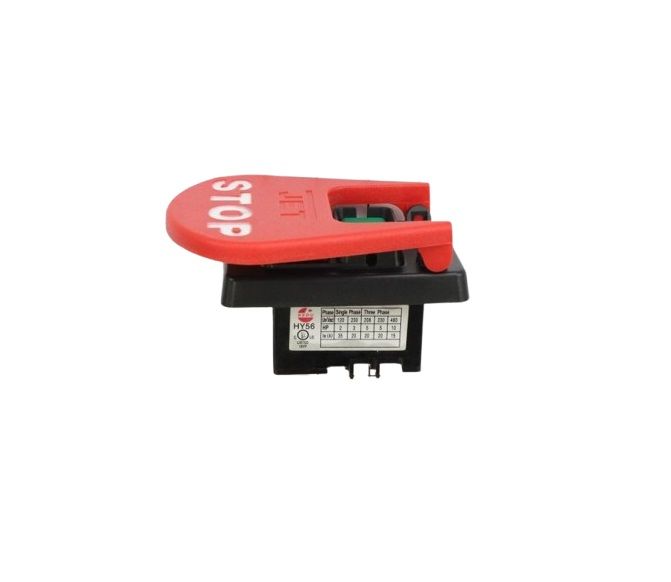
What maintenance is required for the JET JPS10TS-343 Main Switch?
Regularly inspect the switch for cracks, loose connections, or signs of overheating. Clean dust, sawdust, and debris from around the switch and contacts. Test the switch periodically to ensure it operates smoothly and safely. Replace the switch immediately if any damage or erratic operation is observed to prevent electrical hazards.
What are common issues with the JET JPS10TS-343 Main Switch?
Switch not turning on.
Inconsistent power activation.
Loose switch movement.
Failure to stay in position.
Please, mind that only logged in users can submit questions
We strive to provide our customers with a hassle-free and efficient shopping experience. Our shipping policy ensures the timely delivery of your orders and complete customer satisfaction. View More
We are committed to ensuring your complete satisfaction with every purchase. We understand that circumstances may arise where you must return a product or request a refund. If for any reason you are not satisfied, you may return the item(s) according to the terms outlined below. View More
This Payment Policy outlines the terms and conditions governing all payments made for products purchased through our website. By making a purchase, you agree to be bound by this Payment Policy. View More
Installation Steps
Step1: Disconnect the table saw from power to prevent electric shock.
Step2: Remove the switch cover or housing to access the old main switch.
Step3: Disconnect all wiring from the old switch, noting their positions.
Step4: Remove mounting screws and detach the old switch from the saw.
Step5: Position the new main switch and secure with screws.
Step6: Reconnect all wires according to the original configuration.
Step7: Replace the cover and test the saw for proper on/off operation.


Validate your login