The store will not work correctly when cookies are disabled.
We collect user information to provide a better user experience and protect the security of our website. By continuing to use our website, you acknowledge the use of cookies.
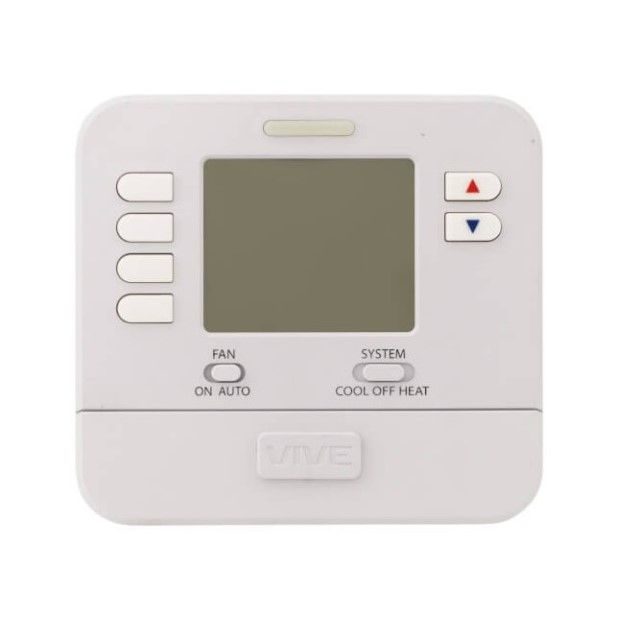
The Tradepro TP-P-705 is a Programmable Thermostat that can help you make your home climate comfortable and energy efficient. It has a simple 5+1+1 program, which means you can program the temperatures for weekdays, weekends, and one particular day. This enables you to control heating and cooling depending on your daily activities, and reduce power consumption when you are out, or at night. The large clear LCD of 4 inches makes it easy to monitor as well as set the right temperature. It has other features such as battery backup to keep the unit running in the event of a power failure and low battery warning, so you’re never left in the dark – or cold.
What maintenance is required for the Tradepro TP-P-705 Programmable Thermostat?
Periodically wipe the thermostat's display and buttons with a soft, dry cloth to remove dust and grime. Check wiring connections at least yearly to ensure they remain tight and free of corrosion. Replace batteries as recommended to prevent loss of settings and erratic temperature control. Calibrate or verify temperature readings seasonally to maintain accurate comfort and efficiency.
What are common issues with the Tradepro TP-P-705 Programmable Thermostat?
Display fails intermittently.
Settings reset unexpectedly.
Temperature reading drifts.
Control buttons stick.
Please, mind that only logged in users can submit questions
We strive to provide our customers with a hassle-free and efficient shopping experience. Our shipping policy ensures the timely delivery of your orders and complete customer satisfaction. View More
We are committed to ensuring your complete satisfaction with every purchase. We understand that circumstances may arise where you must return a product or request a refund. If for any reason you are not satisfied, you may return the item(s) according to the terms outlined below. View More
This Payment Policy outlines the terms and conditions governing all payments made for products purchased through our website. By making a purchase, you agree to be bound by this Payment Policy. View More
Installation Steps
Step1: Turn off pthe ower to the system at the breaker.
Step2: Remove the old thermostat from the wall.
Step3: Label and disconnect the old wiring.
Step4: Mount the new thermostat base to the wall.
Step5: Reconnect wires to their corresponding terminals.


Validate your login